How do I connect a Bluetooth piano keyboard?
Last updated August 20, 2026
Anything Piano supports Bluetooth MIDI keyboards on iPhone and iPad.
Pair over Bluetooth
- Put your keyboard in Bluetooth MIDI pairing mode. This is usually a button or a setting on the keyboard itself; its manual will call it Bluetooth MIDI.
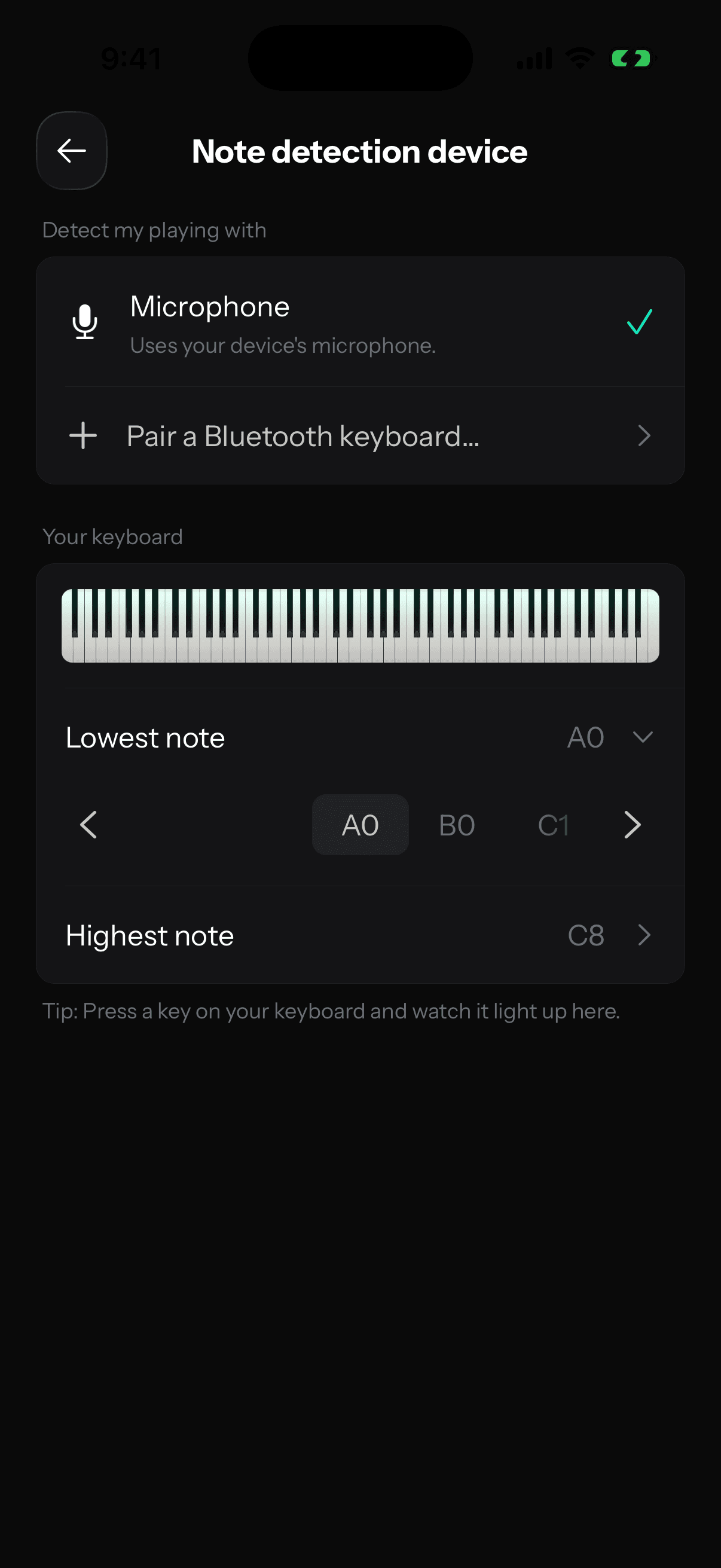
- In Anything Piano, go to Profile, tap the gear, then tap Note detection device.
- Tap Pair a Bluetooth keyboard…. This opens the iOS pairing sheet.
- Tap your keyboard in the list to connect.
 Here's why pairing lives inside the app: iOS doesn't show Bluetooth MIDI keyboards in its own Settings app, so this sheet is the one place to connect them (and to disconnect them later). If you see "Bluetooth is turned off for Anything Piano" instead of the sheet, allow Bluetooth for the app in iOS Settings and try again.
Check that it's working
Once your keyboard is connected, it appears under Detect my playing with, and the Your keyboard preview below shows a live keyboard. Press a key on your instrument and watch it light up on screen. If it lights, you're set.
Match the app to your keyboard's size
Keyboards come in all sizes (49, 61, 76, or 88 keys), so the Lowest note and Highest note rows let you set exactly where yours starts and ends. Set them once per keyboard and the on-screen keys line up with the ones under your hands.
USB keyboards work too
If your keyboard has a USB MIDI connection, plug it into your iPhone or iPad (with the right adapter for your port) and it shows up on the same screen as connected over USB, no pairing needed.
No keyboard? The microphone has you covered
You don't need a keyboard at all. Choose Microphone under Detect my playing with and the app listens to your playing through your device's mic, which works with any piano, including an acoustic one. A MIDI connection is a bit more exact since it reads your keys directly, but the mic is how plenty of people practice every day.